Enhanced Appeal

By Cassandra Balentine

In the midst of a digital era, printed communications hold value. To capitalize on this, print providers are stepping up their game, enhancing printed graphics with specialty effects like expanded colors—including white, clear, neon, and metallic; dimension and texture; and security functions.

“Print is just ink on paper, but by adding print embellishment it becomes an experience that engages the senses and one the customers can see and touch,” shares Anthony Gandara, product manager, Duplo USA Corporation.

These embellishments are added inline on select digital production presses, and offline or near line with dedicated print enhancement solutions.

Above: MGI offers the JETvarnish 3D Series, enabling enhanced print with dimensionality and metallic foil.

Adding Value
Print embellishments represent a growing trend. Print providers and marketers look to these effects to differentiate their products from other brands, move away from the commodity print model, and add value to the printed piece.

“In a world with growing purchasing power, competition over consumers’ pocket share is fiercer than ever,” suggests Hagit Isman, product manager, HP Indigo GEM, HP Inc. “They need products to stand out and the best way to ensure shelf appeal is embellishments. In addition, commoditization processes affect many products and embellishments help the product not only stand out and differentiate, but also to fight price erosion.”

Jeroen Van Bauwel, director, product management, Xeikon, says the technology addresses a critical, emerging need in labels and packaging. “Our initial focus is on self-adhesive labels, particularly for short run, high-end labels, especially for health and beauty as well as luxury goods like cosmetics, wine and spirits, and confectionary. It is also aimed at products like pharmaceuticals where they support counterfeit prevention,” he says.

In the past, embellishments were found mainly in premium products. Today the effects are found in personal and hair care, food and confectionary, and even in higher end home cleaning products. “We believe that with the increasing competition on the supermarket shelves this trend will increase and we will see embellishments used in more end-use markets,” predicts Isman.

Virtually all print products have to work to stand out on the shelf, adds Lynn Kolevsohn, director of marketing, Scodix. “What’s more, not only has the total number of print jobs reduced, but the remaining number of printed pages/sheets per job has diminished. Print service providers (PSPs), converters, and brands are all under more pressure to differentiate themselves, and that trend looks set to continue for the foreseeable future.”

According to Gandara, it’s Duplo’s goal to make print embellishment more affordable for all, not just for the high-end jobs.
Kevin Abergel, VP of marketing and sales, MGI USA, believes we are only beginning to see the emergence of the ultimate digital enhancement market. This is the last mile of digital technology adoption for all print segments. “Once digital workflows can be implemented from prepress design through printing and into the postpress finishing stage of job completion, then the true benefits and transformation of the graphic arts world will be achieved.”

Challenges
While the advantages of enhanced print are clear, there are challenges. The biggest is getting customers in front of the product to see the value.

Kolevsohn comments that it is such a visual, tactile experience that customers need to encounter the enhancements first hand in order to gain a full appreciation. “Once print providers get samples in front of their customers, it’s a very easy sell.”
Leonard Christopher, worldwide product manager, Kodak, points out that most printing sales representatives need to reach the designer as well as the print specifier to successfully implement the service.

Educating the design community, agencies, creatives, marketing managers, and brand owners about the possibilities of digital enhancements and how easily and economically these effects are added is a challenge, especially for short, personalized print jobs. “Once that exposure and awareness occur, the print provider can lock in any customer for life,” suggest Mary Roddy, worldwide product marketing manager, and Amy Stear, worldwide product marketing manager, iGen product family, Graphic Communications Business Group, Xerox Corporation.

Gandara agrees, commenting that the initial marketing and promotion of an embellishment service is a challenge. “But once the customer physically experiences and touches the raised spot UV coating on a sample, they will immediately be sold on it,” he states.

Yuji Buchan, senior product manager, production cutsheet color and B&W systems, Commercial and Industrial Printing Business Group, Ricoh USA, Inc., says the idea of branching out into five colors can be daunting to those that have produced four-color digital printing for a long time. “It’s like suddenly being able to see an entire new dimension for your work. As a result, some print providers may be weary of straying too far from their comfort zones with regard to digital print.”

Pricing Factors
There are many ways to approach pricing and promotion of printed products featuring enhancements.

Gandara says the purpose of embellishment is to add value to the printed piece. “This is an added value that printers can upsell by simply producing one sample with embellishment for customers.”

Print embellishments are a high-value service, so commodity and lowest cost pricing strategies typically don’t apply. “Print providers are looking at metallic embellishments as a business growth opportunity and finding that print buyers and customers have an appetite to invest in these types of enhancements,” say Roddy and Stear.

“Our customers typically correlate their pricing models to the production costs of traditional non-digital methods of print embellishment and find their profit margins easily fit into a 50 to 80 percent improvement range,” says Abergel.

Pricing for print enhancements vary widely by customer. Print providers may include these features at no extra charge for differentiation, while others target specific applications where the final product is priced, not the individual ink or substrate, comments Christopher.

Abergel adds that some customers are completely new to producing digital enhancements and may need to develop marketing and sales strategies to complement their new technology.

Print Enhancement Platforms
Select printing presses and standalone enhancement solutions offer a range of digitally printed effects.

Duplo offers print embellishments with the new DDC-810 Raised Spot UV Coater. It is a compact solution that utilizes 600×600 dpi inkjet technology, UV lamp curing, and camera image registration to deliver production output with texture and depth by applying a gloss varnish to defined areas of a substrate.

HP Inc. recently introduced HP Indigo GEM, which will be released later this year. Integrated inline with the HP Indigo WS6800, it uses one workflow, one operator, and one design file without the need for tooling. The HP Indigo GEM utilizes GEM Coat and GEM Clear, sold by HP Indigo and developed with JetFX.

HP Indigo GEM offers foil, spot, tactile, digital holograms, cast and cure, and other special effects. All are 100 percent digital and variable. “Users will be able to place a few of these on each label, creating a range of image embellishments,” says Isman.

Kodak offers several digital print solutions with embellishment capabilities, all based on the NexPress platform. Currently there are ten fifth station inks available, along with corresponding front-end capabilities to use each individual ink in different ways/treatments. Additionally, the ability to add the choice of fusing method provides flexible options on the types of finishes available with CMYK printing.

MGI has two full-fledged digital print enhancement platforms, the Meteor Unlimited Colors Series and the JETvarnish 3D Enhancement Press Series.

Meteor Unlimited Colors presses are capable of producing output with a virtually unlimited number of colors by blending CMYK toner and the reflective qualities of foil film.

The JETvarnish 3D Enhancement Press Series offers dynamic enrichment of digital, offset, and flexographic printed output via unique inkjet applications of dimensional varnish and foil textures.

The RICOH Pro C7100X Series offers a fifth color station capable of adding white, clear, neon pink, neon yellow, and soon, invisible red. Additionally, the company developed the 5th Color Kit, which showcases example applications and instructions on how to reproduce them.

Scodix offers a range of digital enhancement platforms and applications, starting at entry level with the Scodix S75 through to the Scodix Ultra Pro Series. In addition, the Scodix E106 focuses specifically on the folding carton market.

Xeikon is developing Fusion Technology, which combines high-quality, full-color production printing with digital embellishments of labels and packaging in a one-pass, one platform, fully digital production process. According to Van Bauwel, digital enhancement modules will include high opaque white, foiling, matte, and gloss varnish in flood and spot modes.

“The technology will provide converters with true flexibility of virtually any label or package on demand. It will make instant reruns of previous jobs easy, as all of the necessary parameters are held in a single digital file. But, more excitingly, converters will no longer need to invest in offline embellishment solutions, nor will they incur the time delays and potential error inherent in both offline and manual processes,” offers Van Bauwel.

The first Xeikon Fusion module generates a digitally printed, high opaque white layer. This is a development mainly driven by the requirements of health and beauty applications where high-quality, short-run jobs printed on transparent substrates may require white with even higher opacity than standard available with dry toner, combined with high-quality images. The company is also working on a digital spot varnish and foiling module.

The Xerox i1000i Press features metallic silver and gold dry ink plus mixed metallic effects using silver as the underlay and CMYK over.

The Xerox iGen 5 Press’ fifth print station enables orange, green, and blue gamut extension colors, which increase the press’ ability to match a wider variety of PANTONE colors and keep print buyers on brand. It also allows customers to hit more than 90 percent of PANTONE PLUS colors without moving short runs to offset.

The iGen 5’s White Dry Ink offers benchmark brightness and opacity that can be printed over, under, or next to CMYK to provide eye-catching spot effects, explain Roddy and Stear.

The Clear Dry Inks create decorative spot effects or watermarks.

Into the Workflow
The application of digitally printed effects is designed to be simple. Technology providers work to make it fit effortlessly into an existing digital print workflow.

With the Duplo DDC-810 Raised Spot UV Coater, most preparation is completed on the design end. “The designer must prepare three items—a print file with the registration marks, a PDF of the spot UV layer, and an XML file for the registration mark parameters. Once the files are completed, the print file will go to the press for printing. The operator of the DDC-810 loads the printed media into the feed tray, uploads the Spot UV PDF and the XML files, and presses send,” says Gandara.

“While today the production of embellishments require a high level of expertise and complicates the prepress and makeready processes, the HP Indigo WS6800 Digital Press with integrated HP Indigo GEM makes the entire workflow digital, using one file only through all production steps,” explains Isman. “Users will be able to automate their prepress phase; narrow bottlenecks in production—for tooling lead time, for example; reduce waste; and increase net print time thanks to elimination of analog set up stages.”

Many of the effects for the Kodak NexPress platforms are added directly at the digital front end (DFE), or specified in the JDF or local job ticket. Most customers produce/supply sample kits to designers for custom design work, adds Christopher.
The MGI JETvarnish 3D systems include a software suite of image and project management tools and utilities, including an image editor and job cost calculator.

Buchan says fifth imaging effects are often built in during the design stage with Adobe software like InDesign, Illustrator, and Photoshop. “Our industry has been going beyond CMYK for years and Ricoh has taken what was a standard practice in the offset world and standardized it for digital output.”

As a digital technology, Kolevsohn says Scodix enhancements fit easily into both digital and offset press line workflows. “The Scodix Ultra Pro with Foil digital enhancement press conveniently brings the enhancement process in house, offering PSPs possibilities that they could not do before, adding high value to print for a low cost. Brands also take advantage of this new capability for shorter print runs and less cost. Before the launch of the Scodix Ultra Pro with Foil digital enhancement press, print houses and brands mostly outsourced foil applications or deployed costly, time consuming, makeready processes that included molds and dies.”

The Xeikon X-800 DFE takes care of prepress, data processing, color management, and press operation as well as full control and operation of all embellishment modules without manual intervention.

With Xeikon Fusion Technology, a print job containing multiple layers, defining each production step, is dropped into a hot folder and RIPed, after which the different layers are sent to the relevant modules including the press—all without manual intervention.

Depending on the requirements, digital embellishment modules can be positioned before and/or after the Xeikon digital five-color press. The resulting configuration produces a digitally printed and embellished label or package in one single pass.

“The cornerstone of this concept is Xeikon’s dry toner electrophotographic five-color printing press. Xeikon’s application-tuned dry toners have been specially developed to meet the requirements of this market in terms of print quality, color gamut and accuracy, light fastness, food safety, and brand protection,” says Van Bauwel.

Using the fifth station in a Xerox Color 1000i Press is straightforward, according to Roddy and Stear. “The fifth station provides easy swapping between the options for silver or gold metallic dry inks or clear dry ink. It is a self-contained, clean process that can be switched on demand, requiring no maintenance or cleaning between the different specialty dry inks,” they explain.

Two DFEs are available for the press, the Xerox FreeFlow Print server and the Xerox EX-P Printer Server, Powered by Fiery, are specialty color and effects capable. Effects execution and management are possible at the DFE, even if a designer has not built that effects layer into the file.

The iGen 5 comes with a design and file preparation guide for designers, providing guidance, hints, tips, examples, and instructions on designing for the gamut extension colors, White Dry Ink and Clear Dry Ink.

Its fifth print station also provides easy swapping between orange, green, blue, white, and Clear Dry Inks. It is a self-contained, clean process that takes the operator approximately 30 minutes or less, say Roddy and Stear.

Presenting Enhanced Print
Digital PSPs add value to output with special effects like expanded color gamut, metallic and white inks, and security functions. These effects stand out on the shelf or in the mailbox, enabling marketers and brand owners to step away from commodity print. While once reserved for high-end, luxury applications, new solutions and continued adoption bring enhanced print mainstream.

Mar2018, DPS Magazine

Web-Based Efficiency

By Courtney Saba

Web to print (W2P) systems serve print environments from in-plant operations to commercial printers. Depending on an organization’s clientele and particular needs, print providers benefit from a variety of features offered by W2P solutions, including workflow optimization, streamlined ordering, and automation.

In addition to the advantages these systems offer, print organizations must understand the investment required to get W2P up and running—from the initial system setup to employee and client training.

Successful implementations provide insight to printers considering adding or upgrading W2P. Here we profile four print providers that have successfully implemented W2P either as a standalone offering or part of their overall production workflow. Each company offers a unique scenario and incorporates W2P for different reasons.

Michigan Farm Bureau
Based in Lansing, MI, Michigan Farm Bureau was founded in 1919 and is the state’s largest general farm organization. It supports a variety of commodity agricultural sectors and is committed to representing, protecting, and enhancing the business, economic, social, and educational interests of its farmer members.

Throughout 67 county farm bureaus and more than 450 agents across the state of MI, the organization employs a staff of over 200,000. Within its departmental services division, the organization serves all of MI and incorporates a range of communication services from design and printing to finishing and mailing.

“We meet all of the communication needs of our organization as well as our outside clients,” says Karen Meyers, business manager, Michigan Farms Bureau. Some of the services they offer include graphic design, dimensional printing, variable data printing, banners and signs, digital and offset printing, bindery, as well as finishing and mailing services.

In 2009, the bureau decided to support its production operations with W2P. It researched several different options with client ease of use as well as integration into its management information system (MIS) as leading priorities. Ultimately, Michigan Farm Bureau decided on Avanti’s eAccess solution, which complemented its existing MIS, Avanti MIS. eAccess is hosted on premise.

Once the decision to implement W2P was made, the deployment process began. According to Meyers, it was fairly smooth and the training was successful. She says the most tedious part was setting up all of the templates for variable print on demand items, which took a couple of months.

The W2P system was introduced to clients on a rolling basis. “We launched the website initially to our county offices, followed by our agent workforce, and then to some of our outside clients,” says Meyers.

Whenever introducing new products and systems, it is important to educate clients in order to get them to understand and utilize them. Michigan Farm Bureau provides continuous training sessions as well as documentation on how to place an order with eAccess. Both resources are available whenever necessary.

Through W2P, Michigan Farm Bureau was able to successfully address some of its biggest production challenges and reduce touch points. Meyers says the investment in W2P is a positive addition to the organization. “We have been able to automate our workflow and simplify the ordering process for our customers.”

The bureau calculates return on investment based on the savings in staff time required to set up customer files as well as through the increased business generated as a result of eAccess.

Michigan Farm Bureau plans to continue the growth and expansion of its W2P site, as it is always adding new products and are continuously marketing its services.

Freese and Nichols
Established in 1894, Freese and Nichols, Inc. currently houses 539 employees between 16 different locations spread across TX. The company most recently branched out to NC and OK. The organization’s core services include civil engineering, architecture, construction services, as well as environmental science and planning.

Though it’s a small in-plant operation; it provides printing resources to is clients, employees, and stake holders. David Smith, building services supervisor, Freese and Nichols, Inc., says it is sometimes unaware of the outside resources available and learned about W2P after attending a conference hosted by the In-Plant Printing and Mailing Association.

Once the possibilities of W2P were realized, Smith says the opportunity was a must to grow the business.
Before selecting a W2P provider, it looked at a few other solutions and was drawn to the customization abilities of Rochester Software Associates (RSA) WebCRD W2P solution. “It became a multi-faceted solution for us,” explains Smith. “RSA’s partnership throughout the entire process was instrumental and they built a high level of trust and confidence from the first time that we met them,” adds Smith.

The implementation process took about six months, mostly due to Freese and Nichols’ customization requirements. A side-by-side training procedure was imposed and employees were encouraged to ask questions whenever they arose. The system resides on a virtual server inside the corporate network.

Adapting to a new solution is always a challenge, especially for customers. Smith explains how Freese and Nichols found it helpful to gather a few small groups of main customers for a training session where they learned the ins and outs of the system and could also provide feedback for possible changes. These customers became comfortable with the new system and then helped others learn it. Smith says one-on-one training is always offered for anyone that needs it.

For Freese and Nichols, RSA’s WebCRD system helped eliminate one of its biggest business challenges—a faulty ordering process. Prior to WebCRD, most orders were placed via email, but whether the order was fulfilled or not often depended on who was in the shop at the time since not every employee would receive the order email. “W2P allows us to see all orders at any given time and know what status the job is in. The customer can login and access all of their orders, which allows for reordering prints with just a few clicks. W2P is definitely worthwhile,” says Smith.

RSA’s WebCRD offers the shop the ability to enable different ordering homepages for various users, which is important to its expansion plans. For example, Freese and Nichols is traditionally an in-house print shop, serving only employees and clients. However, over the past four years its slowly been building external customers and plans to add an external ordering solution in the next few months.

Astro-Dynamic
Established in 1971, Astro-Dynamic Print & Graphic Services is a family owned and operated print provider. Located in Warminster, PA, it has 17 employees and a 10,000 square foot solar-powered facility.

Serving Bucks and Montgomery counties as well as Philadelphia, PA, its core services include print on demand production, digital and variable data printing, offset printing, design and prepress, full bindery services, precision die cutting, foil stamping and embossing, as well as mailing services, promotional items, and CD and DVD duplication.

A few years back, the shop was looking to replace manual processes used for a number of its print products as well as balance out their costs and capabilities. To achieve this, it looked at a number of W2P providers. Narrowing down the options, Brian V. White, director of digital services, Astro-Dynamic, says RedTie was the ideal fit and provided the right combination of cost and functionality to suit the shop’s unique needs. The solution was introduced to the business in July 2011.

To kick start the implementation, Astro-Dynamic chose a test client that it felt best fit with the W2P model. “We communicated our intentions to them and they were very receptive,” says White. The rollout was pretty quick after an initial training. In the end, White says it was a win-win for both Astro-Dynamic and the client. “They got to order and preview their products immediately and we received the orders along with print-ready files,” he recalls.

Astro-Dynamic’s goals for W2P included streamlining its processes, as well as improving automation and client convenience. RedTie’s W2P system successfully addressed each factor. “It was definitely a worthwhile investment. We compared the pre and post profitability of the clients involved and there is a significant impact,” says White.

When it comes to educating customers and encouraging them to utilize its W2P system, White says it involves just a simple training procedure. If he recognizes a client that would fit the W2P model, he contacts them, sets up an account, and lets them take a test drive.

A long-term goal for Astro-Dynamic and its W2P system is integration with the shop’s MIS. “That will take a significant investment. We will move when the time is right,” concludes White.

Mount Street Printers
Established in 1981, Mount Street Printers is an upscale family-owned stationary and printing business located in London. It operates out of a 4,000 square foot shop and staffs 26 employees.

The shop prides itself on being a one-stop resource for its customers, offering a versatile list of services ranging from digital printing, foiling, die stamping, die cutting, and letterpress to luxury stationary and business and greeting cards. While well-known in its area, it regularly provides services for a worldwide clientele.

One reason the shop is able to maintain such a wide client reach is its Web-based ordering system. It decided to implement W2P based on requests from trade customers who were looking for online access to their work. With W2P, customers with access are able to use it for individual jobs and repeat orders to help streamline the workflow on both ends.

The company uses EFI’s Digital StoreFront W2P system. Alex Cain, director of sales, Mount Street Printers, says this system has been deployed for about a year. While there are many W2P offerings available, Cain says it selected EFI in part because of the salesman. “He was great at educating us about the product,” he explains.

Since the initial launch of its W2P system, Mount Street Printers’ volume and frequency of orders has significantly increased. “Customers are now able to log in to a dedicated area and edit or upload artwork and then place the orders at the click of a button. The system automatically sends approved print files directly to the press without any delay or human error—day or night,” says Cain.

The ability to accept and streamline non-complex orders is a major draw of W2P. As a savvy print provider, Mount Street Printers capitalizes on its location by establishing an ongoing relationship with local restaurants and hotels. It offers a free delivery service for these businesses that fall within a two-mile radius of its location.

Local restaurants have taken advantage of the services offered by Mount Street Printers, and are able to streamline their orders through EFI Digital StoreFront.

Cain says that generally, restaurants decide on their daily menus or specialties the night before. With online ordering capabilities, local eateries can create and order menus that are printed and delivered without hassle.

Several of the clients it works with daily have moved away from in-house printing. “It is actually cheaper and more efficient in the long run to let us take care of the whole process using the online portal,” explains Cain.

Manufacturing its own papers, as well as offering design and printing in house allows Mount Street Printers to provide an authentic, same-day service without compromising on quality.

In terms of future goals, the shop would like to see its W2P system integrate with its other production processes. Cain says the plan is to keep growing and innovating. “We see technology very much as a tool to develop the business,” he concludes.

W2P Goals
W2P solutions continue to positively affect the print providers and clients utilizing them. Four genuinely different print providers share their success stories in order to convey what W2P has done for their businesses and how one can benefit from such a system—through workflow optimization, streamlined ordering, and replacing manual processes. dps

Jan2016, DPS Magazine

By the Booklet

By Lisa Guerriero

Booklet maker manufacturers target the needs of the growing digital, print on demand market, increasing productivity through automation and higher page capacity. These devices deliver polished results with additional options for stitching, folding, and specialty spines.

Mid- to high-volume booklet makers handle jobs of up to 200 pages. Speeds range from 1,700 to 6,000 booklets per hour. In addition to automation, optional features and add-on tools further reduce touch points and enhance efficiency.

The demand for booklet applications comes from a variety of sectors, including education, financial services, government, and healthcare. Applications range from magazines and calendars to manuals, pamphlets, reports, catalogues, and testing materials.

Technology Advancements
The latest advancements in booklet making equipment entice digital users and are designed to streamline the process. Some of the latest innovations include automated sheet feeders, targeted software, higher page capacities, and square spine solutions. These features attract new users and expand application potential.

Booklet makers bind pages with wire-fed stitching or stapling and include an integrated folding or creasing option. In digital printing environments, booklet makers are generally fed with an automatic sheet feeder, though some devices are hand- or collator-fed.

Available in nearline and inline configurations, automated sheet feeders reduce touch points and increase productivity. Many functions reduce or remove manual steps to keep up with digital print volumes. Other options include automated cutting and slitting and high-capacity book stackers.
“By automating the booklet making process, operators spend less time setting up and more time running jobs, resulting in increased productivity as well as faster turnaround times,” says Anthony Gandara, product manager, Duplo USA Corporation.

Many booklet makers include targeted software that allow operators to easily manage the system, automate workflow, and ensure job storage. Software also enables integration with the printer, and for some systems, multiple print sources. Intelligent feeding provides custom features that support both digital and offset printed media in one system. To serve digital printers handling variable jobs, barcode reading options are also available.

Although page count is sometimes a limiting factor for booklet makers, today many handle higher page capacities to enable a broader variety of applications. They also support more paper types, sheet sizes, and quantities.

“Traditional booklet makers were typically strapped to collation devices and these mechanical wonders produced book-looking documents that didn’t exactly scream creative,” explains James Tressler, VP of sales, C.P. Bourg Inc. “They have come a long way in recent years.”

While magazines, calendars, and brochures are popular applications, uses extend to CD booklets and manuals to newsletters and reports for workshops, seminars, and trade shows.

“A booklet maker is an ideal choice for copy and print shops, in-plants, small offices, and any organization with a need to produce high-quality booklets quickly and efficiently,” observes Carrie Ford, art director, MBM Corporation.

Booklet makers produce professional products with a smooth, lay-flat style. By providing more stitching types and folding variations, booklet makers also expand the output range to include rate sheets, memos, binder inserts, and direct mail pieces, notes Neal Swanson, director, marketing communications, Standard Finishing Systems.

Some offer a square spine solution to expand capacity, allowing booklet makers to compete with other binding systems. These devices offer the square-spined appearance that some buyers require, with the longevity that stitching provides and the efficiency of a booklet maker.

“Some people favor perfect binding because the books have a square spine that can carry print—but even that is possible with some booklet makers,” explains Paul Attew, sales director, Watkiss Automation Ltd.

Booklet Devices and Systems
Here we highlight booklet makers targeting mid- and high-volume digital print environments, including stand-alone devices and systems that work inline with a feeder, a compatible print engine, or both.

C.P. Bourg offers a range of booklet makers, including several with inline bleed trimming and sheet-creasing features, JDF/XML automation, and touchscreen controls. “Considering the printing industry’s massive shift from lithography to inkjet and digital, our solutions allow customers to bring stacks of pre-collated work from any of their printing processes, load it as pre-collated stacks, and finish it into booklets with limited operator intervention,” notes Tressler.

The company also distributes the PowerSquare 224, manufactured by Watkiss.

Its BME Booklet Maker finishes sheets from 4.6×2.75 to 14.5×23.5 inches. Available in several configurations, it utilizes a stitch-fold-trim process. It produces booklets up to 120 pages—30 sheets—at up to 5,000 booklets per hour. The BME Booklet Maker offers automated setup and a color touchscreen interface. Its paper path follows a right-to-left process to work inline with Hewlett-Packard Indigo presses, or a left-to-right path to work inline with Xerox printers.

C.P. Bourg also offers the Bourg Sheet Feeder (BSF), an automated sheet feeder that allows multiple printers or presses to share one finishing device. When configured inline, its dual mode enables shifting or merging job production, including between digital and offset. Another booklet device, the BME-ExPress with BSF, is an inline system designed for the HP Indigo 5500, 5600, and 7000 Series digital presses. It utilizes C.P. Bourg’s automated feeder to ensure greater efficiency in digital on demand and Web to print environments.

Duplo offers entry, mid-, and high-volume devices that convert media from multiple print sources into booklets. Available features include intelligent feeding, two-knife trimming for full-bleed booklets, barcode reading, and specialized cutting and creasing tools. PC-based software allows easy management of the booklet system. “Users can save an unlimited number of jobs within the memory of the PC to later recall and use to change from one job to another within a matter of seconds without any tools or manual intervention required,” adds Gandara.

For medium production runs, options include the 350 Digital Booklet System and the 350C Booklet System, which both produce booklets up to 80 pages. The 350 series converts digital pre-collated printed media into saddle-, side-, and corner-stitched booklets. It processes up to 2,400 sets per hour with an estimated monthly volume of 280,000. It utilizes the DSF-2200 Sheet Feeder and PC-based software to achieve fast, touch-free changeover between jobs. The 350C series converts un-collated digital or offset printed media from multiple sources into saddle-, side-, and corner-stapled booklets. It utilizes a suction-feed collator to feed the paper and produces up to 3,000 sets per hour with an estimated 300,000 monthly volume. Connected collators increase loading capacity and improve efficiency.

Duplo’s 600 Digital Booklet System is one of the company’s high-production options. Like the 350 digital series, it creates saddle-, side-, and corner-stitched booklets and utilizes a sheet feeder for automation. It produces up to 3,200 sets per hour, with an estimated monthly volume of 400,000. The device’s Hohner stitch heads enable saddle stitching up to 120-page booklets, corner stitching up to 60-page booklets, and side stitching up to 100 pages. Another high-volume option is the iSaddle Digital Booklet System, which converts pre-collated digital printed media into saddle-stitched booklets. Its Hohner stitch heads create booklets up to 120 pages in a variety of sizes and formats—including CD-size, calendars, and letter landscape. The software-driven system features a two-tray sheet feeder. It produces up to 3,200 sets per hour, with a monthly volume estimate of 300,000.

MBM’s StitchFold booklet maker utilizes a wire-fed stitching and folding system. “The stitching system replaces costly staple sticks with economical spools of wire, saving money while reducing downtime—no more stopping mid-run to replace staple cartridges,” says Ford. The magnetic stitching heads feature one-step threading for easy setup.

The StitchFold processes 2,300 booklets per hour and up to 65,000 booklets before the wire spools must be replaced. It runs inline with a variety of collators and produces booklets up to 100 pages. A staple leg adjustment feature allows staple lengths to be custom fit to the size of the booklet. An optional trimmer is available. The powered exit conveyor stacks booklets neatly after they exit the booklet device or the trimmer.

Plockmatic’s booklet makers utilize a stapler apparatus. Many are compatible with key print engines. “JDF-based automation is offered on an increasing number of our systems to eliminate manual steps and reduce errors,” notes Scott Russell, VP, inline and mailing business unit, Plockmatic.

The MX-BM50 is Sharp-compatible or configurable for offline manual feeding. It creates 140-page booklets, up to 30,000 per month. Optional features include a face trim module and a book fold module, which creates a square folded edge and printable spine, mimicking the look of a perfect bound book.

The Pro50 and Pro35, which create 200- and 140-page booklets, respectively, are compatible with Xerox presses and offer bleed trim, sheet rotation, and crease modules. Other options include the face trim module and a square folding module. Pro50 and Pro35 produce 30,000 booklets per month.

Plockmatic’s PBM500, PBM350, and 5010e devices are compatible with Ricoh printers and also configurable for offline sheet or manual feeding. They offer software integration and modules are available for bleed trim, sheet rotation, crease, and face trim, as well as a book fold feature. The PBM family produces up to 30,000 booklets per month, with booklets of 200 pages for the 500 model and 140 pages for the 350 model. The 5010e creates up to 20,000 120-page booklets per month.

Standard Finishing Systems’ Horizon SPF/FC-200A/L offers stitching and folding with face trim. A color touch screen handles advanced setup automation, including folder roller gap settings and centralized control. Stepper motors drive stitching heads, end stops, side guides, and other systems to the exact location for the job’s sheet size and finish style. An integrated hand-marry station increases flexibility. The device also features a built-in error eject tray that enables non-stop production at up to 4,500 booklets per hour. Connected with the Standard Horizon HOF-400 High-Speed Sheet Feeder, it offers variable page count production.

The HOF-400 feeder is configurable to run inline with Horizon booklet makers and saddle stitchers. It feeds up to 45,000 8.5×11-inch sheets per hour, and handles sheets up to 14×24 inches. It delivers variable page count production with integrity and verification using a standard mark reader, which easily shifts from top and bottom reading for different applications. It also accommodates cover feeding, accumulating, and manual feeding depending on the job requirements. As an offline feeder, the HOF-400 provides flexible system configurations including sheet insert on, variable page count, bleed trimming, and creasing for digital printing. It also connects with finishing devices for use with both digital and offset output.

The Watkiss PowerSquare 224 booklet maker combines stitching, folding, spine forming, and trimming to produce square-spined books up to 224 pages. “They offer a professional high-quality appearance and books that open flat without damaging the spine. The book can carry print on the spine, giving the appearance of perfect binding with the security of a stitched spine,” explains Attew.

The PowerSquare is configurable offline for hand feeding, nearline with a high-capacity dual-tray sheet feeder, or inline for a variety of leading print engines. Inline, it offers automatic sheet rotation. Options include a high-capacity book stacker for unattended operation during long runs and a two-knife trimmer to produce full-bleed printed booklets in a single pass.

The system creates books that are 10.4 millimeters thick, enabling applications with thicker stock or higher page count. The PowerSquare forms the square spine during the folding process—not after, eliminating the need for pre-creasing. Offering an alternative to perfect or tape binding, it also enables two- and three-up books.

The Future of Booklet Making

Booklets are used in a variety of industries and environments. Booklet makers target these applications with automated tools and software that help ensure return on investment.

By reducing touch points, booklet makers present an efficient and cost-effective binding method for digitally printed output. Today’s systems offer higher page counts, professional finishing, advanced features, and more configuration options to enable efficient booklet production. dps

Sep2015, DPS Magazine

Just in Time Labels

By Cassandra Balentine

The label opportunity is apparent in digital. Shorter runs and the need for multiple SKUs within them drives business by default to digital. Additionally, more choices on the market, declining costs, and advanced technology make digital label systems attractive to three primary prospects, traditional label converters, digital printers looking to expand service offerings, and brand owners that want to take label production in house.

Those looking to invest in digital technologies must consider the specific needs of their business, as well as the total cost of ownership, which includes auxiliary requirements such as finishing and software. For traditional converters and brand owners, this investment is weighed against challenges facing the overall label industry, many of which are addressed by the inherent capabilities offered by digital.

Mark Vanover, VP, sales and marketing, Allen Datagraph Systems, Inc. (ADSI), notes that the trend towards shorter runs prompts business to digital, whether it is due to larger brand owners that are either personalizing product/packaging or creating many new brand extensions, or the presence of smaller companies that are now able to take advantage of cost-effective digital printing.

Private labeling also supports the demand for digital printing. “Of course, the question is, what came first the chicken—the digital system, or the egg—the demand for digital. We do know that when cost-effective runs were not available, smaller brands could not look like the bigger brands on just 1,000 boxes and bags as they can now,” says Vanover.

As new entrants come to market, the cost of digital declines as well as a more widespread realization of the value it offers—presenting a big opportunity for adoption by print providers and brand owners alike.
Stephen Emery, VP/GM, Jetrion and ink business, EFI, points out that for a long time, cost was the defining challenge for digital. “Brands know they have to carefully scrutinize their cost per label as part of their overall supply chain costs. In many cases, it meant you could only use digital printing for very high-end, high-profit products that could absorb the click charge that comes with process color impressions on electrophotographic digital presses,” he explains.
The availability of inkjet solutions and advancements to electrophotography diminish many of these concerns and eliminate barriers of entry.

Investment Considerations
Making an investment in a dedicated digital label system involves many questions, especially in regard to the output capacity needed. The benefit and challenge of serving this market is the fact that nearly every product needs a label. This includes everything from small, home-based Etsy shops selling custom products to Proctor & Gamble, a company with 23 brands boasting annual sales of $500 million to more than $10 billion.

Within this vast range of prospective labels, digital print capabilities play an important and growing role. Opportunity exists from the smallest in plants with a need for a few hundred labels a month to print shops with production-level equipment needs to service big brands.

“The requirements for these two are very different,” points out Randy Rickert, director, iSys Label. “One may use the printer on a weekly basis and the other may have it running for eight hours a day.” When selecting a print system, it’s best to determine the overall volume as well as the applications it will be used for before purchasing, he suggests.

Determining a level of investment includes basic factors, such as system costs and existing demand. “Crunch the numbers to find an acceptable ROI. Of course, there are fixed equipment costs based on the hardware investment. You also have a consumables running cost. These will deliver a different ROI depending on how well you are able to maintain capacity. The question is, ‘how much work does a specific machine need to be profitable?’ Different machines offer different results,” says ADSI’s Vanover.

For in-house organizations, decision criteria is based on more than investment cost. “There is greater demand for flexibility, shorter runs, customization, and fast turnaround times,” says Rich Egert, VP, global new business development and GM, strategic technology provider business group, OKI Data Americas.

Brand owners and marketers considering bringing labels in house want greater flexibility and customization options, and the ability to do short-run jobs. “It’s not about ROI, it’s about increased convenience and capability,” offers Egert. He suggests that, “the entire world has gone to immediate gratification.” By bringing these printing capabilities in house, users fulfill a range of opportunities, which continue to expand.

Print providers outside of the traditional label space, as well as established converters, are also looking for ROI when it comes to an investment in a digital label system. “With these devices, they can compete without a major investment. Output—including variable data, digital die cutting, and lamination—can be done quickly, efficiently, and affordably to create marketable output,” says Egert.

Those new to label converting often get their start pursuing short- and medium-sized runs and multi-SKU jobs, but may be more likely to include modular, inline finishing components over the more established competition. “They might not have those capabilities elsewhere in their facility. Having all the components inline provides tremendous labor savings,” comments EFI’s Emery.

Established converters look for systems that provide a more profitable avenue for short- and medium-run work as well as multi-SKU orders, which would normally require a larger number of plate changes. Emery points out that if the facility already has offline finishing for its flexographic work, those customers can often take digitally printed rolls over to an existing finishing platform.

In terms of capabilities, Michael Pruitt, product manager, SurePress, Epson America, Inc., suggests those looking to add digital label technologies should look at the minimum investment necessary to achieve the best total cost of ownership versus the highest quality level and flexibility. “A principal measurement for most is speed, but what really is important is productivity,” he says, outlining a formula for success, “productivity = speed x up time x % perfect product x ease of use.”

Further capability considerations are important, including material compatibility, finishing and converting, spot color, varnishing, and the need for white ink, suggests Mike Barry, product marketing manager, digital solutions, Fujifilm North Americas Corporation, Graphic Systems Division.

Taylor Buckthorpe, global account manager, Colordyne Technologies, summarizes that companies looking to add digital label technologies want faster ROI, so in terms of capabilities, they want solutions that help eliminate inefficiencies in label production, waste, and lead times. “Overall, the level of investment is determined by the size and scale of the company, what products and markets they currently serve, and what areas they are looking to expand or improve upon.”

Driving Digital
Brand owners and label converters face many industry challenges, many of which are addressed with digital technologies.

“On a macro level, factors driving digital adoption include SKU proliferation, the need for just-in-time delivery, and the value-add digital printing provides with variable data capabilities to target specific demographic groups,” says Andy Dwivedi, director of marketing and sales support, North America, Xeikon. Increased personalization is expected, enabling brand owners to “emotionally connect” with their customers, he adds.

Run length is a primary driver of digital demand, which includes the need for shorter runs, as well as the need to incorporate more SKUs in a single run. “Just-in-time production requires shorter runs, often driving more reprint jobs. Increased SKUs, reduced inventory, and just-in-time production are moving the label market into the digital comfort zone, with quick changeovers; accurate, repeatable, and consistent color performance; and efficient handling of a high number of jobs per day,” says Brian Cleary, category manager, Indigo Label Solutions, Hewlett-Packard (HP).

Juan Kim, CEO, VALLOY Incorporation, suggests that there are many limitations in analog label production, which are addressed with digital, such as in-time delivery, stock waste, and customization capabilities. “A digital press and finisher can provide additional attractive features and flexibility, but digitalization does not mean replacement of analog,” he stresses.

“Converters are stringently assessing their current production processes, which involves looking at their true manufacturing costs, including setup time, waste, plates, tooling, dies, and even inventory carrying costs to identify how digital printing can make them more efficient and competitive,” states Emily Kroll, business director, label and specialty packaging, Durst Image Technology US LLC.

“Converters are also looking at digital for long-term goals. Digital printing can offer sustainable growth by allowing the development of new marketing opportunities,” she adds.

Dwivedi notes that brands compete for awareness from customers bombarded with marketing messages. In addition, customers want more product variety, so there are a wider range of SKUs as goods, producers, and manufacturers create more variation in the products they sell. He also notes that products have shorter lifecycles and relatively, so brands need the capability to test new products and maintain smaller inventories of products. “In turn, they’re demanding shorter turnaround times on the part of the label converters so that they can bring products to market more quickly, and they need run lengths to be shorter and more cost effective.”

Amber Jechort, product manager, Primera Labels, suggests flexibility as a challenge facing the label industry today. “Converters don’t want to turn away small jobs for current customers. Manufacturers need the option of running customized or even seasonal labels.”

Digital addresses these limitations by enabling label converters to produce high-quality, shorter runs without the cost of makeready. Additionally, they provide the ability to create customized labels and provide protective measures against counterfeiting.

“Labels are becoming more complex in design, run length, and regulations, challenging converters to invest in more flexible equipment, improve changeover efficiency, and implement better planning practices,” points out Cleary.

“From a design perspective, customers are demanding a wider variety of substrates, higher quality, complex embellishments, and a no-label look,” he explains, noting that digital addresses these challenges. “Brands are looking for an increased number of shorter runs, more repeat jobs, and faster turnaround times, while also addressing increasingly strict regulations. Digital offers a high degree of automation with a streamlined end-to-end workflow as well as non-UV, low migration inks to meet regulatory demands,” he continues.

Increased production and automation are required to make short-run printing profitable. “Increasing the integration of finishing processes and lower operation costs is possible with digital presses as more capabilities are added inline to the printing process,” says Aftab Aftab, product manager, INX NW210 digital label press, INX Digital. “The future of digital is that every label can be different, including different digital finishing options like die cut or gloss/matte finishing. Shorter average runs with quicker turnaround and personalization is the new norm. Digital printing answers this demand,” says Aftab.

Digital Obstacles
While digital print technology provides a solution for many concerns facing analog label production as market trends evolve, it comes with its own challenges. One of the biggest obstacles is simply a resistance to change.

Primera’s Jechort suggests that an operational shift is apparent in terms of digital versus traditional flexographic printing. “The types of employees needed to successfully run digital presses are quite different than a lot of really good flexographic operators,” she notes. “Strong computer skills are a must, no matter how the printing and digital die-cutting software is designed. Knowledge of software such as Adobe Creative Suite is essential to success. At the same time, mechanical aptitude is still required to run the press and die-cutting equipment. Sometimes it is a challenge to find both skill sets in the same person, so some of our converters have a two-person team assigned to their digital presses.”

Epson’s Pruitt points out that as work pace increases, the art/expertise in flexographic/analog printing will now be located in the digital front end of systems. “However, the skill set to operate these digital presses will be different. Emphasis in managing a workflow from brand owner, to designer, to shop floor, is critical. More of the operations, such as foiling and embossing, will need to be integrated with digital systems,” he adds.

Quality concerns, longer runs, media compatibility, as well as the need for a complete system are other issues challenging digital adoption.

While digital solutions may fit the budget for many small and medium players, VALLOY’s Kim warns that commercially acceptable quality is essential. “It is the most important issue in the market—provide an affordable solution of professional quality at acceptable speeds.”

Long production runs are a challenge for many digital label presses. “The challenge with digital is to offer increasing speeds and lower production costs. Digital consumable costs are decreasing and waste is being minimized as the presses head toward continuous production and on-the-fly changeover between jobs. Long production runs are the biggest challenge as digital printing competes with traditional flexographic technology. Digital press speeds are increasing as newer, faster printhead technology is introduced to meet this growing demand,” says Aftab.

Another challenge is finding a complete system to best meet demands. “One of the biggest challenges for label converters today is to find a complete digital label production solution that fits their production requirements. The digital press is just part of the total solution,” offers Xeikon’s Dwivedi.

Durst’s Kroll points out that the industry overall could benefit from having less pre-treatment requirements for media, which are addressed as vendors take steps towards inline treatment units as well as developments in ink sets and curing processes.

The challenge is different for those looking to bring labels in house. OKI Data’s Egert says it is the issue of converting end users to producers. “Many people have the need for labels, but not all are inherently capable of producing labels themselves.” Digital also has an advantage in this scenario, as the technology is often easier to master compared with traditional methods. “We’re converting users into producers without having to train them on what is normally a fairly complex process. We’re making our devices extremely user friendly so that end users can print fully customized, color labels easily and on demand. The process is simplified, integrated, and automated for ease of use, and that’s what people like and are embracing about our cost-effective, end-to-end solutions,” says Egert.

More on the Horizon
Digital label production is certainly a topic that keeps heating up, however the trend is far from peaking.

“Although digital printing is a proven technology for short-run today, its capabilities have not reached its fullest potential,” points out Durst’s Kroll. “Future demand for shorter runs will not diminish or be stagnant,” she predicts. “We all know the lifecycles of products are getting shorter, therefore, digital can help brands to be more competitive by enabling them to have shorter go-to-market lead times and strategies.”

Traditional converters looking to invest in digital have a mindset challenge to overcome, but must consider the potential opportunity and risks of not offering digital alternatives. Meanwhile, print providers looking to get into the label game must consider the total cost of ownership and the level of investment their unique situation requires. The third prospect, brand owners and marketers, consider the cost and time benefits of having immediate access to prototypes and production in house instead of—or in concert with—a third party specializing in the product.

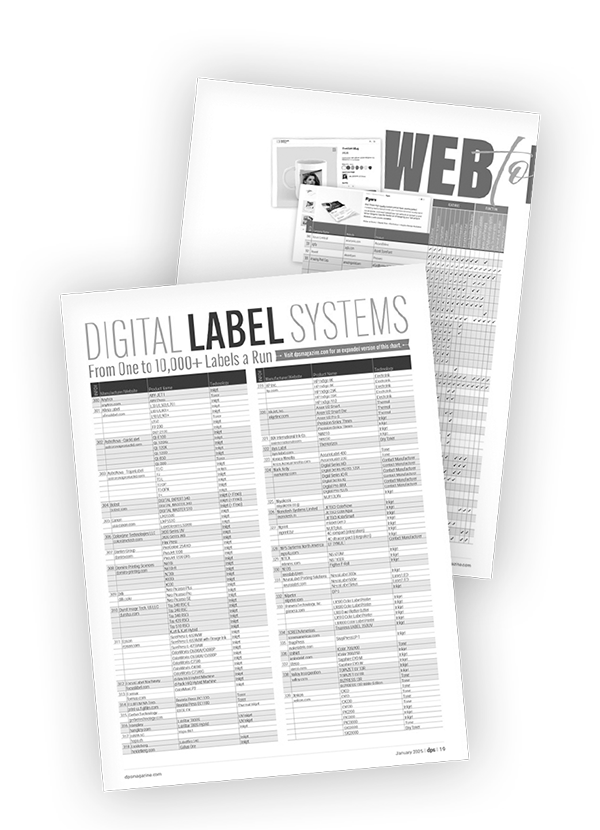
Check out our Target Chart on page 43 for a comprehensive view of digital label systems currently on the market. Log on to dpsmagazine.com for a round-up of digital label systems and their differentiating features. dps

Mar2016, DPS Magazine

A Cut Above

By Lisa Guerriero

New equipment in the die-cut market is fueled in part by the increased prevalence of short-run personalization and packaging in the digital space.

Die-cutting capabilities give print providers many options for unique designs and shapes, observes Kevin Corwin, product manager, Rollem International. The machines offer the ability to “offer more diverse product offerings to existing customers, all in one small footprint of a machine.”

A key benefit of in-house die cutting is the savings that come from finishing jobs on demand, instead of outsourcing or keeping superfluous inventory, notes Kevin Chen, product manager, Duplo USA Corporation. “If operators need to die cut five sheets, they can cut only these five sheets without increasing cost.”

Applications and Trends
Die cutters are commonly used for applications like greeting cards and stationary, retail tags, mailers, door hangers, bottle-neckers, and business cards—a different shape gives new life to nearly any small, printed item. “Don’t be square, be round, oval, or scalloped,” quips Corwin.

The market is changing as digital printers expand into packaging and labels, several vendors note. Neal Swanson, director of marketing communications, Standard Finishing Systems, observes that, “we see a definite increase in the desire to produce lightweight, short-run packaging products,” thanks to improvements in digital printing and the rise of short-run finishing solutions.

Die-cut technology reflects the demand from digital printers. Scoring or creasing ability is available on digital-friendly machines for printers who want to make cartons. Virtually every die cutter available to digital buyers is capable of kiss cutting. “Labels, stickers, and clings are the most common products requiring kiss cutting,” notes Rollem’s Corwin. “Die cutting opens market share to the growing segment of packaging and labels.” In addition, some die-cut equipment manufacturers also make complementary folding/gluing devices.

Providers of rotary die cutters say they are ideal for new users because their magnetic cylinders make them easy to operate. This “allows the die-cut process to take place right on the digital print floor,” notes Swanson.

A small footprint is valued in die cutters of all kinds for the same reason, digital print providers usually want to incorporate them into an existing work space.
Bringing die cutting in-house isn’t solely an equipment decision. “Because the die-cutting process is foreign to the average person, it is important that the purchase of a die-cutting machine includes complete training and technical support. This includes familiarizing the customer on how to order the dies, run the machine, safety, as well as further finishing processes,” recommends Dennis Marking, regional sales manager, MBO America.

Die cutters are not limited to paper. Many models also handle paperboard and certain plastics.

Product Options
Many solutions are on the market to offer on demand, die-cutting capabilities. Here is a selection of highlights from die cutters that target the digital space.

Brandtjen & Kluge, Inc. offers several steel rule die cutters that also perform embossing and foil stamping. Their platen cutters accommodate sheets up to 17×24.75 inches for the EHD and EHF Series, and an image area up to 22×30 inches for EHG Series Half-Sheet Press. All are capable of kiss cutting, die cutting, and scoring. Applications for the machines include greeting cards, letterheads and stationary, pocket folders, book covers, labels, packaging, business cards, and security printing.

The UD-300 Rotary Die Cutter, from Duplo USA Corporation, is compatible with a range of paper stock up to 14×20 inches at 3,000 sheets/6,000 cycles per hour, with a monthly duty cycle of 480,000 sheets. The UD-300 also performs multiple cuts, slits, slit-scores, kiss cuts, perforations, and window punches. “Operators can change from one job to another in less than five minutes and dies are changed within 30 seconds, allowing for more productivity,” notes Chen.

Typical applications include door hangers, retail tags, business cards, trading cards, and stationary. The machine measures 81.10×27.17×46.85 inches, plus an optional conveyor, where the finished pieces can be shingle stacked.

KAMA offers its ProCut automatic die cutters as well as the ProCut Foil finishing die cutters. The ProCut automatic die cutters feature the ability to cut, crease, perforate, as well as kiss cut items such as stickers, cold embossing, and Braille. The machines are ideally suited to replace cylinder cutters. The company recently released KAMA SBU for inline stripping and blanking without tools and AutoRegister for precise sheet alignment that adjusts to each sheet to print a mark.

The ProCut 53 fits a range of equipment including the Heidelberg SM 52, Ryobi 582, HP Indigo 5600 and 7600, and Xerox iGen 4. The ProCut 76 fits a range of equipment including the HP Indigo 10000 and HP Indigo 30000, Heidelberg Speedmaster XL 75, KBA Rapida 75, man roland 500, and Xerox iGen 4 EXT.
The KAMA ProCut Foil finishing die cutters are developed as modern equipment for the cost-sensitive finishing of small- and medium-run commercial and package printing. The flatbed die-cutter with hot foil stamping model provides users with the ability to create a variety of applications in-house, offering ten functions from kiss-cutting to hot foil stamping.

The ProCut 53 Foil fits a range of equipment including the Heidelberg SM 52, Ryobi 50, HP Indigo 5600 and 7600, Ricoh, and Ryobi. The ProCut Foil 76 fits a range of equipment including the HP Indigo 10000 and HP Indigo 30000, Heidelberg Speedmaster XL 75, KBA Rapida 75, Roland 200, 500, Komori Lithrone, Ryobi, and Xerox iGen 4 EXT.

MBO America offers the BSR 550 Servo, a rotary die cutter that cuts, kiss cuts, perforates, scores, micro-perforates, embosses, and de-bosses. It performs at speeds of up to 12,000 cycles per hour, 540 feet per minute. It’s compatible with a minimum product thickness of 24 or 60 pound text, and a maximum of 150 pound cover or 19 point.

The BSR 550 Servo’s 21.5-inch working width is aimed at digitally printed products, and it features inline or offline configurations. “If the die is already on hand, job changeover takes only a matter of minutes,” says Lance Martin, director of sales, MBO America.

The device is appropriate for the short-run market, and cuts a variety of materials, including plastics, paper, and board stock. Applications include bottle hangers, folded cartons, pharmaceutical outserts, greeting cards, mailers, business cards, specialty decals, and labels. It features a footprint of 13 feet four inches by four feet four inches wide. MBO also offers a variety of feeder options—including palletized, continuous fed, or pile.

Marking notes that the device’s inline stripping station is important to the overall process. It uses a vacuum table and a timed air blast to remove waste.

Muller Martini offers the die-cutting machine line from the Swiss manufacturer BOGRAMA worldwide. The die cutters expand saddle stitchers from Muller Martini in the lower and middle performance range. The machines can be attached to Valore, Presto, BravoPlus, and PrimaPlus saddle stitchers.

According to the company, BOGRAMA die-cutting machines deliver diverse production capabilities to manufacturers of saddle-stiched printed products. Utilizing an inline configuration with stitching-trimming-die cutting, many different creatively die cut, punched, and perforated products can be produced in one-up as well as multiple-up configurations.

Rollem International offers three sizes within its Delta Series of die cutters, each offering die cutting, kiss cutting, scoring, and perforating capabilities. Embossing capabilities may be available depending on the configuration of the machine.

Corwin says Rollem designed the die cutters specifically to serve the digital print market. “We wanted to deliver a product that would meet the following criteria—short runs, quick changeovers, ease of operation, and an affordable price point,” he explains.

The Delta 5 model handles sheets up to 20×15 inches and performs die and kiss cutting and creasing on stocks up to 22 point. Changeover on the Delta 5 model is completed in about ten minutes.
The Delta 6 model handles a 24×24-inch sheet and sheets are fed in either portrait or landscape orientation. The Delta 7 is geared toward larger-capacity digital presses, handling a 24×30-inch sheet.
All three models operate at speeds of up to 5,000 per hour, depending on the stock. The cutters come with an optional folder/gluer unit for packaging items, which runs inline with the Delta and accepts the die cut box for final folding and gluing.

Many applications are suited for the Delta Series, including greeting cards and stationary, shaped direct mailers, door hangers, labels, and packaging.

Standard Finishing Systems offers two rotary die cutters for digital printing, the Standard Horizon RD-4055 Rotary Die Cutter and the Standard Horizon RD-3346 Rotary Die Cutter. The RD-4055 is compatible with various substrates up to 0.019 inches thick, for digital and offset sheets up to 15.74×21.65 inches. It is also meant for kiss cutting, creasing, perforating, slitting, hole punching, and round cornering of substrates. Feeding, die cutting, and separating are completed at up to 6,000 cycles per hour. The RD-4055 features a 141.2×32.3-inch footprint.

Available options include a trim waste separator with delivery conveyor and a receiving tray for product and waste. The RD-4055 is designed for larger applications such as direct marketing mailers, die-cut novelties, labels, stickers, greeting cards, and pocket folders, as well as packaging applications that require an additional folding process afterward. Recent application testing indicated good results in embossing and de-bossing, says Swanson. The RD-3346 measures 107.9×27.4 inches and handles the die and kiss cutting of various flexible substrates up to 0.013 inches thickness, for digital and offset printed sheets up to 13×21.65 inches. Feeding, die cutting, and separating are achieved in up to 5,000 cycles per hour.

Applications for the RD-3346 include labels, tags, business cards, as well as playing cards.
The machine includes a trim waste separator with a delivery conveyor. Swanson notes that both machines are suited to short-run jobs.

Both the RD-4055 and RD-3346 are user friendly, with touch screen operation and job memory storage for common format and repeat applications.

A Perfect Cut
Label and packaging applications often require unique shapes and complex cuts. As these output types continue to hit the digital scene, new products—such as those described above—emerge to meet evolving demands and open the door to new opportunities. dps

Jan2015, DPS Magazine

EFI Connect 2015

By DPS Staff

From January 20 to 23, 2015, EFI hosted graphic arts technology users for its sold-out EFI Connect users’ conference. Held at the Wynn Las Vegas in Las Vegas, NV, the event provided leadership sessions, technical education, and business management workshops.

The company reported 1,017 customers in attendance at Connect, from 32 different countries. The event’s overall attendance reached more than 1,500 including EFI employees, journalists, and partners/exhibitors.

The conference boasted over 200 educational sessions on business management, sales, marketing, and production technology.

Guy Gecht, CEO, EFI, kicked off the event with opening remarks, in which he discussed the company’s commitment to its—and its customers’—future. “We want to be your GPS,” he announced, meaning they power “smart” technologies that guide a path to success.

He also stressed the importance of the success of its customers, pointing out that 90 percent of its customers are family-owned businesses.

In a Fireside Chat later in the event, Gecht and Thomas Quinlan, CEO, RR Donnelley & Sons, discussed the future of print. Quinlan says his 150-year-old company continues to thrive by serving the customer and helping them communicate effectively. “It is critical to synchronize messaging,” he stated.

Connect is one way EFI communicates with its customers, spreading the message of its future goals. At his keynote, Gecht announced his mission for EFI to reach $1 billion in revenue by the end of 2016, and to keep moving and reinvesting. He noted several milestones, including that it’s been ten years since EFI acquired VUTEk, and 20 years since he first joined the company, and he’s still excited for the future of EFI after all of these years.
Additional presentations included keynote included Avi Reichental, CEO, 3D Systems; and Andrew Paparozzi, chief economist, print industry association Epicomm.

Software Evolution
The event also served as the launch for a new evolution in the company’s workflow software strategy. The EFI Productivity Suite is the next step in the company’s production software portfolio evolution. It is designed to expand on the company’s existing offerings with a stronger focus on how customers can generate revenue and enhance efficiency and profitability with its portfolio of print and packaging software.

EFI says its suite, which is available this quarter, addresses its customers’ automation and efficiency needs by transitioning the workflow emphasis away from individual packages and modules to a complete offering that uses best-of-suite end-to-end workflows, certified integrations, and synchronized development.

Continued Improvement
In addition to the two previously mentioned primary announcements, additional product announcements and demonstrations were also part of the event.

The company introduced unified workflow management capabilities for combined offset and digital production operations using a new Heidelberg Prinect/EFI Fiery digital front-end integration. Now, print providers can use the Prinect interface to route work to offset or Fiery-driven digital presses while streamlining overall business processes using integrated links to EFI Web to print (W2P) and print management information system products.

Additionally, the company introduced a module featuring EFI DirectSmile technology to enable automated, template-based, and data-driven variable image and document rendering within the EFI Digital StoreFront W2P and ecommerce interfaces.

Also shown, an enhanced automation workflow, powered by AccuZIP, that uses Digital StoreFront’s W2P capabilities and its new variable data printing module to automate direct mail production tasks from order entry through mail processing and check out.

Within EFI Connect’s solutions center, attendees could view the complete portfolio of EFI workflow and digital print production software. An exhibit of EFI LED inkjet technology with 3.2-meter roll-to-roll and two-meter, seven-picoliter UltraDrop hybrid roll/flatbed EFI VUTEk printers; along with an entry-level, 1.6-meter EFI Wide Format production printer, were also displayed.

Numerous partner companies also exhibited, including 3M, AccuZIP, BCC Software, Canon, Esko, ESP/SurgeX, Honle UV America, Heytex Corp., Kodak, Konica Minolta, MBM Corp., Ricoh Production Print, Xerox, and Zünd.

Connect and Network
EFI Connect provides its users with the opportunity to network, learn, and preview the latest solutions the company has to offer. We look forward to more news and implementations of EFI GPS and its next-generation production software suite, as well as continued innovations on all software and hardware fronts. dps

NOTE: This is an extended version of the EFI Connect recap that appears in the March print issue of Digital Publishing Solutions.